Nexus MCP: Nexus inside the conversation your team already has open

The decision that used to hold up your week now happens in the conversation you already have open. With Nexus MCP, your team uses Nexus capabilities inside the AI assistant it already uses, with your company’s synthetic personas and a person’s approval before anything is executed.
In brief: Nexus MCP is the connector that links the Nexus platform, from Galaxies, to AI assistants such as Claude. Once connected through a Nexus account, the team uses natural language to ask to talk to personas, test creatives or build questionnaires, and the assistant operates Nexus behind the scenes. Looking up personas and drafting studies is unrestricted; running a study requires a person’s approval inside Nexus. Nexus MCP is available to accounts enabled by the Galaxies team. Marketing Decision Intelligence is what we call the work Galaxies does: helping marketing leaders make decisions about creatives, claims, audiences and messaging before committing their budget, using synthetic personas built from real research and human review. |
|---|
Anyone who works in marketing knows the pattern: the deadline is tight, media has already been purchased and the creative goes live without any indication of how consumers will react. This article explains what Nexus MCP is, what it enables, how approval works, what it does not do and how your team can get started.
What is Nexus MCP?
Nexus MCP is the connector that links the Nexus platform to AI assistants such as Claude. Instead of opening Nexus and building a study screen by screen, a person describes the business question in the assistant they already have open. The assistant finds the personas, talks to them, builds and runs the studies, and delivers the results as a PDF or presentation.
MCP stands for Model Context Protocol, an open standard for connecting AI applications to external systems. Anthropic introduced the protocol in November 2024 as an open standard for connecting AI assistants to the systems where data lives. In practice, it allows an assistant to operate a product as a tool. The Galaxies connector is called Nexus MCP.
Requests can be made in Portuguese or English. For example: “list my personas,” “test this creative with younger audiences” or “build a questionnaire about switching banks.” The connection walkthrough uses Claude Desktop. Cursor, Claude Code and other compatible assistants use the same address and login.
Why do campaign decisions get stuck today?
Three situations keep recurring in marketing teams and explain why testing gets left out of the process.
The campaign is approved before there is any evidence. The deadline is tight, media has already been purchased and the creative goes live without any indication of how consumers will react.
Testing does not fit the schedule. Validating creatives and messaging takes weeks, the campaign cannot wait and the final decision comes down to intuition or a committee.
Every new tool becomes another forgotten tab. Each requires its own login, training and routine, and the data ends up far from the conversation where the decision happens.
Nexus MCP tackles the third situation head-on: the team does not learn a new tool; it requests the test in the assistant it already uses. In doing so, it helps ease the first two, because testing is no longer a separate step.
What can your team do with Nexus MCP?
There are 22 Nexus actions available in the assistant, organized into six families. Most only retrieve information; eight create or execute studies, and those eight go through a person’s approval. The table shows what each family does and what a request sounds like in practice.
Family | What it does | Example request |
|---|---|---|
Personas | Lists the company’s synthetic audiences and opens each complete profile: who they are, how they think, their habits and motivations. | “List the available personas and tell me which one is closest to a young person who bets occasionally.” |
Persona conversations | Asks a persona questions and follows up while maintaining context. Runs the same interview guide with multiple personas in parallel and compares them. Resumes previous conversations. | “Ask these five questions to personas A, B and C in parallel and build a comparison table.” |
Stimuli | Lists and details the assets in the company’s Stimulus Library (images, videos and PDFs), adds new assets and removes assets from the collection. | “List the company’s stimuli and show the details of the Órbita, Zero Fee creative.” |
Creative analysis | Builds an analysis of a creative from the library or a YouTube video, using the selected personas. Delivers results by audience: what they understood, what they valued, objections and recommendations. | “Create a creative analysis of asset X with the Strategic and Occasional Bettor personas.” |
Quantitative questionnaire | Builds the questionnaire with its objective, questions (multiple choice, scale, open-ended and matrix), sample and audiences. Validates the draft, executes it and retrieves the results. | “Build a questionnaire to validate an offer message, with 3 questions, 30 respondents and personas A and B.” |
Deliverables | Generates the PDF report for a completed study and a presentation based on the results. | “Generate a 10-slide presentation and give me the link when it is ready.” |
In internal tests, the use case that stood out most was interviewing multiple personas at the same time with the same interview guide.
How does it work in practice, from request to result?
Testing a creative follows a five-step flow, and nothing runs before a person approves it.
Build. The team describes the creative and the personas, for example: “Create a creative analysis of asset X with personas A and B. Objective: understand reactions to the new price positioning.” A draft is created.
Prepare. The assistant returns a summary of what will run and requests approval.
Approve. A team member approves it inside Nexus through the link provided by the assistant.
Confirm. With approval recorded, the assistant triggers execution and the study enters the queue.
Use the results. The assistant tracks progress and, when the study is complete, delivers each persona’s reaction, along with a PDF or presentation.
The same path applies to questionnaires: build, validate the draft, prepare, approve, confirm and retrieve the results with an executive summary.
Explore a client’s audiences
In about five minutes, the team lists the personas with a one-line summary, opens one profile to see what the persona values and what puts them off, and asks: “What would make you try brand Y?”
Interview multiple personas with the same guide
This is the use case that draws the most attention in demonstrations. The team asks: “Run these four questions with personas A, B and C in parallel,” then “Build a table comparing the answers and highlight where they differ,” and follows up: “Why did persona B mention price first?”
Nexus through the platform or through the assistant?
Through the Nexus platform | Through Nexus MCP | |
|---|---|---|
How the study is built | Screen-by-screen work | The team describes the business question and the assistant handles the operation |
Where the team works | Inside Nexus | In the AI assistant it already uses |
Account and data | The company’s account and personas | Same account, same personas, same studies |
Nexus MCP changes how you operate, not the underlying foundation. The assistant sees what the person sees in Nexus: their company’s personas, stimuli and studies.
Is Nexus MCP safe for company data?
The most common security questions are addressed directly in the connector’s design.
Can the assistant see other companies’ data? No. The connector can only see the active company associated with the account that logged in. A persona or file from another company receives the same “not found” response as an item that does not exist.
Can someone run a study without my knowledge? No. Running a study requires a person’s approval inside Nexus, and each approval is valid for a single study.
Who decides what each person can do? The Galaxies team, through groups: those who only retrieve information, those who build studies and those who can execute them. The default is read-only.
Is there a record of what was done? Yes. Every action is audited with the actor, action, time and company, and studies created by the assistant appear in Nexus with MCP identified as their source.
What if someone leaves the company? When the Nexus account is deactivated, the connector immediately stops responding to it, even if the assistant remains connected.
This approach follows what the MCP security documentation recommends for access scopes: start with the minimum necessary and expand only when needed. In Nexus, the starting point is read access.
Do synthetic personas replace research with real people?
No. Nexus personas and responses are simulated, and Nexus MCP does not change that. The personas are built from real data, and the results help accelerate decisions based on clear hypotheses, not replace research with people. This is the same approach we explain in what synthetic personas are.
In practice, Nexus MCP shortens the path between the question and the first evidence, so the team reaches the decision, and the field study, with a better-formulated question. The team still decides which campaign goes live: the personas show how consumers react.
How do you connect Nexus MCP to Claude?
Before you begin, connecting requires three things: an active, approved Nexus account with the correct company set as active; personas enabled for the company and, if testing a creative, at least one registered stimulus; and permission to create and execute studies, granted by the Galaxies team. Without that permission, the connection works in read-only mode: it retrieves information but does not create or execute studies.
In Claude Desktop, there are five steps:
Open Claude Settings, Connectors and Add Custom Connector.
Name it Nexus and enter the connector address provided to the client by the Galaxies team. No additional key or password is required.
Click Connect to open the Nexus login screen.
Sign in with your Nexus account and accept the consent screen, which shows what Claude will be able to do on your behalf.
In a new conversation, ask “list my personas.” If the company’s list appears, you are ready.
Two habits prevent rework: start a new conversation when switching clients or topics, so the assistant queries Nexus instead of answering from memory, and only ask it to “prepare” when someone is ready to approve.
What does Nexus MCP not do?
It does not create companies, switch companies, invite users or enable personas. Those tasks remain with the Galaxies team.
It does not generate stimulus images or videos. It uses assets in the Stimulus Library or a YouTube link.
It does not run any study without human approval recorded in Nexus.
It does not replace research with real people.
What results has Nexus already delivered for a client?
The result below comes from using Nexus, not the connector itself. At Mahta Bio, validating the creative in Nexus before launching the campaign reduced CAC by 35%.
What Nexus MCP adds is a new way to reach that kind of decision: inside the conversation, in the assistant the team already uses, without another tool to learn. See more client examples.
How can your team get started?
The path we propose is simple: book a demo and run your first test with a real campaign from your brand, supported by the Galaxies team from start to finish. Access is granted across three levels, with read access for everyone and creation and execution permissions only for those who will run studies.
Book a demo or speak with your account executive. To learn more about the platform, you can explore Nexus and the ROI calculator.
In closing: the decision returns to the conversation
Much of the delay in a campaign comes from the distance between where the decision happens, a conversation, and where the evidence lives, another tool. This distance is part of what we call the Signal-to-Decision Gap: the interval between the consumer signal and the brand’s decision. Nexus MCP narrows the part of that gap where evidence is far from the conversation. The question is asked in natural language, no study runs without a person’s approval, and the decision remains with the team.
Frequently asked questions
What is Nexus MCP?
It is the connector that links the Nexus platform, from Galaxies, to AI assistants such as Claude. With it, the team uses natural language to ask to talk to personas, test creatives and build questionnaires, and the assistant operates Nexus behind the scenes.
What does MCP stand for?
MCP stands for Model Context Protocol, an open standard for connecting AI applications to external systems, introduced by Anthropic in November 2024. It enables an AI assistant to operate a product as a tool.
Is there an MCP for synthetic personas or consumer research?
Yes. Nexus MCP connects Nexus, the Marketing Decision Intelligence platform from Galaxies, to AI assistants such as Claude. With it, the team talks to synthetic personas built from real research, tests creatives and builds questionnaires within the assistant itself, with human approval before any execution.
Which AI assistants work with Nexus MCP?
The walkthrough uses Claude Desktop. Cursor, Claude Code and other MCP-compatible assistants use the same address and login. The Galaxies team provides guidance on the specific command when needed.
Can the assistant execute a study without approval?
No. Running a questionnaire or creative analysis requires a person’s approval inside Nexus, and each approval is valid for a single study. Looking up personas, talking to them and building drafts do not require approval.
Can the assistant see other companies’ data?
No. The connector can only see the active company associated with the account that logged in, and items from other companies receive the same “not found” response as an item that does not exist. Every action is recorded with the actor, time and company.
Do Nexus personas replace research with real people?
No. The personas are built from real data and their responses are simulated. They accelerate decisions based on clear hypotheses, and research with people is still necessary to validate decisions.
Do I need a Nexus account to use Nexus MCP?
Yes. Access uses your Nexus account, with the correct company set as active. Permission to create and execute studies is granted by the Galaxies team; without it, the connection works in read-only mode. Nexus MCP is enabled on an account-by-account basis through the Galaxies team.
About the author
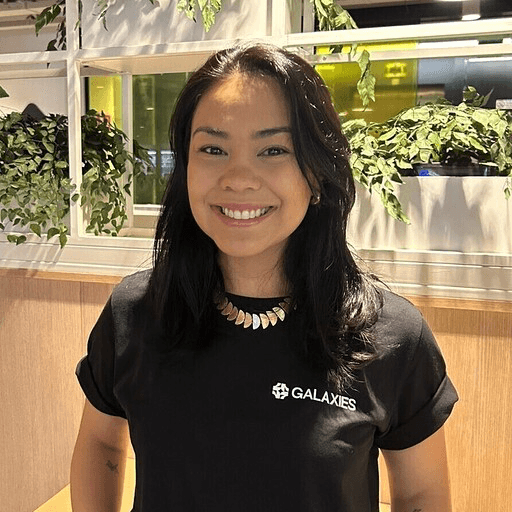
Carol Yoshida is Head of Product at Galaxies, a Marketing Decision Intelligence company. She leads the development of Nexus: Galaxies Lab, a platform that helps marketing leaders make decisions about creatives, claims, audiences and messaging before committing their budget, using synthetic personas built from real research and human review.
Sources cited
Model Context Protocol. What is the Model Context Protocol (MCP)?
Anthropic. Introducing the Model Context Protocol, November 25, 2024.
Model Context Protocol. Security Best Practices.